~~~~~~~~Niccolò Gueriera~~~~~~~~
- - - - - - Watch and Learn - - - - - -

OK OK where do we begin. Ah yes the Graceful Art of Intentional Image-Frying, yes. It is quite a fantastic, remarkable even, form of art. It's consistentcy relies heavily within the various intricacies of Adobe's wonderful world of Photoshop. Here, the various tools in which I, Niccolò Gueriera use to hand-fry my images will be explained. You'll have to try it yourself sometime, the product is quite nice. All you need is Adobe Photoshop to get started.
Once you leave this site of wonder, you should be able to fry your own image, whether you like it deep fried and crispy, or just well done. Damn I'm getting hungry now.
One day I hope that my world of image frying will be studied, as fantastic as it is; and I'm not afraid to admit it!
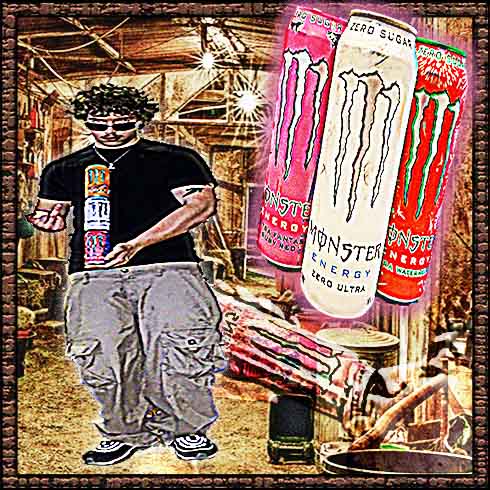
[[here is a little something i like to call a perfectly fried image. what makes this perfect? dont ask stupid questions, but anyways it is perfect because i made it]]
In this list below, I have written numerous important aspects to image-frying.
They will be explained, you can trust me with your life.
ASPECTS:
First off, we have SHARPNESS. It can be found in the 'Filter' drop down in Photoshop. This tool is essential and you cannot do without it when image-frying. It basically enhances the clarity of the image. But if you push the the sliders to the max, it does some pretty crazy stuff.
Second, is GRAIN or the lack thereof. This is found also in the 'Filter' section. It can be added to the image to make it more noisy. But also if you dont add any or even remove the grain, it can make the image ultra soft looking.
Third, is COLLAGE. It is very important. You want to take a bunch of funny looking images, and put em together in one Photoshop document. Make it cohesive, or don't it doesn't matter! That's the joy in this art!
One aspect to image-frying we did NOT cover in this wonderful list was EXPORT QUALITY. This makes or breaks the design. If you export it at low quality, it adds greatly to your design. I encourage you to play with the different levels of export quality.
more of things which me, they belong to